Free Accounting Tools That Feel Like Premium Software. In the current economic landscape of 2026, the barrier to entry for starting a business has never been lower, thanks in large part to the democratization of high-end financial technology.
For years, small business owners and freelancers were forced to choose between clunky, manual spreadsheets or expensive monthly subscriptions that ate into their razor-thin margins.
However, a new wave of “Freemium” and open-source disruption has changed the game. Today, you can access automation, AI-driven categorization, and professional invoicing without spending a single dime. These aren’t just “lite” versions of software; they are robust platforms that provide a premium experience for $0.
Here is a detailed look at the five best free accounting tools that offer features usually reserved for high-priced enterprise software.
1. Wave Accounting: The Gold Standard of Free FinTech
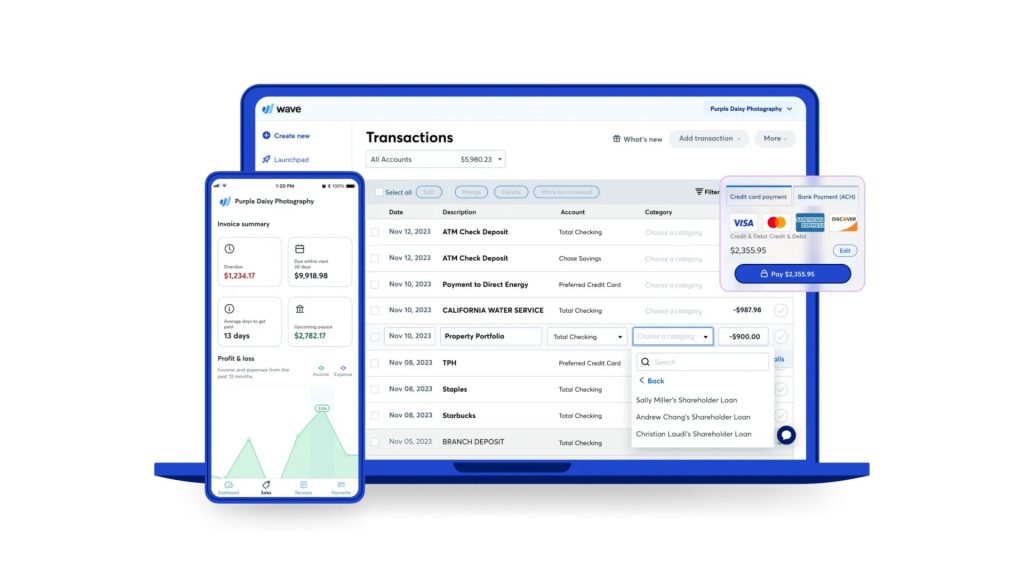
Wave has long been the champion of the “truly free” movement, and in 2026, it remains the most polished option for North American solopreneurs and service-based businesses. Unlike competitors who hide their best features behind a paywall, Wave provides its core accounting, invoicing, and receipt scanning features entirely for free.
Why It Feels Premium: The user interface is sleek, modern, and intentionally designed for people who are not accountants. In 2026, Wave integrated a “Smart Ledger” system that uses machine learning to suggest tax categories for your expenses based on your specific industry. If you are a consultant, it knows that a “Zoom subscription” is a utility; if you are a local maker, it knows “yarn” is a cost of goods sold.
Latest 2026 Updates: Wave has recently unlocked its “Auto-Merge” feature for free users. This tool automatically identifies duplicate transactions across your connected bank feeds and uploaded receipts, a feature that used to be exclusive to paid “Pro” tiers in other apps. Furthermore, their mobile app now supports offline mode, allowing you to snap pictures of receipts in areas with poor connectivity and sync them the moment you’re back online.
Best For: Freelancers and micro-businesses that need professional invoices and automated bank reconciliation without a monthly fee.
2. GnuCash: The Open-Source Powerhouse
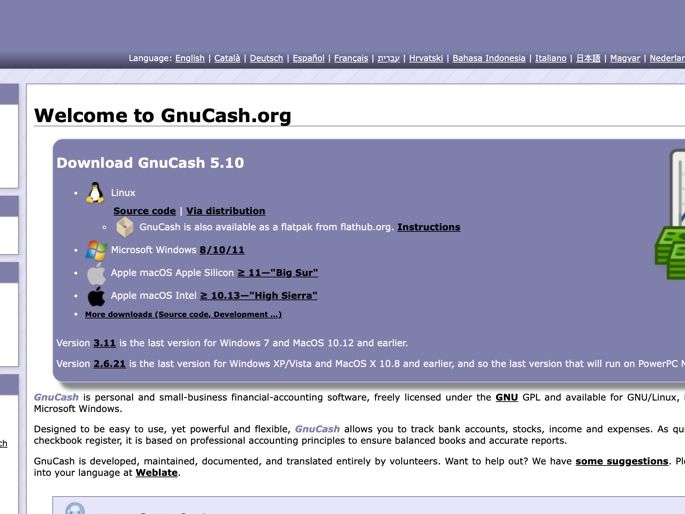
For those who want the absolute maximum amount of control and data privacy, GnuCash is the “Linux” of the accounting world. It is free, open-source software that follows the strict principles of double-entry bookkeeping—the same system used by multi-billion dollar corporations.
Why It Feels Premium: GnuCash doesn’t have the flashy “Cloud” marketing of its competitors, but it offers a level of technical depth that QuickBooks Pro users would recognize. It handles complex tasks like payroll management, stock/bond/mutual fund tracking, and scheduled transactions with ease. Because it is desktop-based, your financial data stays on your hard drive, offering a level of security and “data sovereignty” that cloud apps simply cannot match.
Latest 2026 Updates: The developer community recently released a massive UI overhaul, moving away from the “90s spreadsheet” look to a modern, modular dashboard. Additionally, they have introduced a new API connector that allows GnuCash to fetch live stock market prices and currency exchange rates in real-time, making it an incredible tool for small businesses that trade internationally or manage an investment portfolio alongside their operations.
Best For: Tech-savvy owners, non-profits, and those who demand 100% data privacy and complex financial reporting.
3. ZipBooks: The “Smart” Free Alternative
ZipBooks entered the market to challenge the status quo by offering a “Free Starter” plan that actually feels like a high-end productivity suite. It is built on the philosophy that accounting software should help you make better decisions, not just record numbers.
Why It Feels Premium: The standout feature is the “ZipBooks Score.” This is a proprietary AI algorithm that analyzes the “health” of your bookkeeping. It gives you a grade on how well you are tracking expenses and how your business compares to others in your niche. It’s like having a virtual CFO looking over your shoulder. Their invoicing is also remarkably professional, allowing for “one-click” payments that integrate with Stripe or Square.
Latest 2026 Updates: In early 2026, ZipBooks expanded its free tier to include “Project-Based Tracking.” Usually, “Project Accounting” (the ability to see exactly how much profit you made on a specific job) is a premium feature. ZipBooks now allows free users to tag expenses and hours to specific projects, providing a level of granular insight that is rare in the free market.
Best For: Service providers and agencies who want data-driven insights and beautiful, high-converting invoices.
4. Akaunting: The Modern Cloud Challenger
Akaunting is a unique player because it offers an “App Store” model. The core accounting software is free and open-source, hosted in the cloud. If you need hyper-specific features (like a specialized POS system or advanced inventory), you can buy a one-time “app” from their store, but for 90% of small businesses, the free core is more than enough.
Why It Feels Premium: Akaunting offers a “Global” feel. It supports over 50 languages and multiple currencies right out of the box. The dashboard is incredibly clean, focusing on cash flow charts and expense breakdowns that are easy to read at a glance. It also includes a robust “Client Portal” where your customers can log in to view their history, download past invoices, and pay their balances—a feature almost always locked behind a $30+/month subscription in other software.
Latest 2026 Updates: Akaunting has introduced “Multi-Company Management” for free. This is a massive win for entrepreneurs who manage more than one brand or website. You can toggle between different business entities within the same account, keeping your books separate but your workflow unified.
Best For: International businesses and “serial entrepreneurs” who manage multiple small projects simultaneously.
5. Manager.io: The Desktop-to-Cloud Hybrid
Manager.io is often overlooked, but it is one of the most comprehensive free tools available today. The desktop version is completely free and includes every single feature the software offers—there are no “locked” buttons or greyed-out menus.
Why It Feels Premium: It is “modular.” You only turn on the features you need. If you don’t have employees, you hide the payroll module. If you don’t have physical products, you hide the inventory module. This keeps the software incredibly fast and uncluttered. It also produces professional-grade financial statements like Balance Sheets, Profit & Loss, and Tax Summaries that are ready to be handed directly to a CPA.
Latest 2026 Updates: The 2026 version of Manager.io now supports “Local Cloud” synchronization. This means you can keep your data on your own local server or a private Dropbox/Google Drive folder, effectively creating your own “Private Cloud” accounting system for free. This bypasses the need for expensive cloud hosting fees while still giving you the flexibility of multi-device access.
Best For: Small business owners who want a “forever free” tool that can handle everything from simple billing to complex inventory and payroll.
Final Thoughts: Making the Most of Free Software
The key to success with these tools in 2026 is consistency. Because these tools feel like premium software, they require the same level of care.
- Connect your bank feeds immediately: This reduces manual entry errors.
- Use the mobile apps: Snap receipts the moment you get them so you don’t lose the tax deduction.
- Review your “CFO” dashboards weekly: Use the AI insights provided by tools like ZipBooks or Wave to adjust your spending before a small problem becomes a big one.
Transitioning to a free accounting tool doesn’t mean you are “settling.” It means you are being a smart, resource-efficient business owner who knows that in 2026, the best things in tech—and in business—can indeed be free.